A walk through Cluby
See your clubinside Cluby
Coaches mark attendance from the pitch, families follow from the portal, and you see players, fees and sessions on one board.
club.cluby.net
Club office
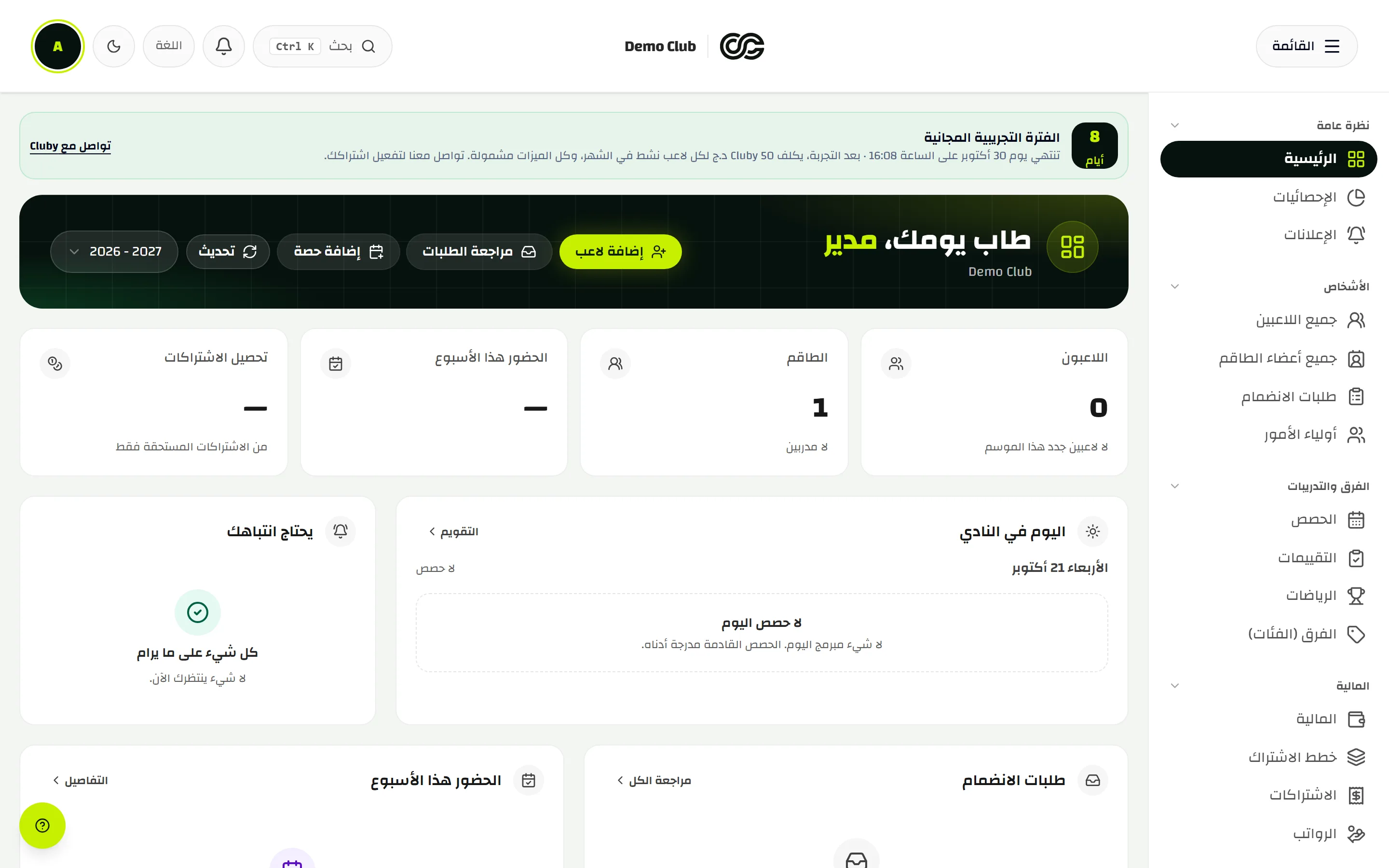
The whole club on one screen
You open the day and see who renewed, who was away, and what is left of the season, from the desk or from a phone at the pitch.
Today in front of you
Players, attendance, join requests, and what needs a decision now.
A workspace per role
The owner, coach, and treasurer each see a workspace suited to their role.
A clear season
Season rollover keeps renewals and records departures.
club.cluby.net
Shots from the real app. Sample data is for the walkthrough.
Sessions and attendance
They open their phone and the session is there
The same calendar on the pitch and in the office. The coach marks who is away. The club keeps the record.
Present, absent, late
Three marks make a usable register, with a note when it matters.
Players and staff
Training, matches and staff meetings sit on the same calendar.
A notice after a change
Schedule, cancel or move a session and you can send a push, if notifications are on.
- 01
Open
Today’s session and its players
- 02
Mark
Who is away or late
- 03
Save
The club keeps the register
- 04
Follow
The family sees it in the portal
Sessions and attendance
They open their phone and the session is there
U13 · Present
- حآدم بن صالحPresent
- للينا مرابطPresent
- ييوسف خلافAbsent
- سسارة بوزيدLate
- ممهدي لعرابيPresent
Shots from the real app. Sample data is for the walkthrough.
Fees and cash
Every fee stays connected to the player
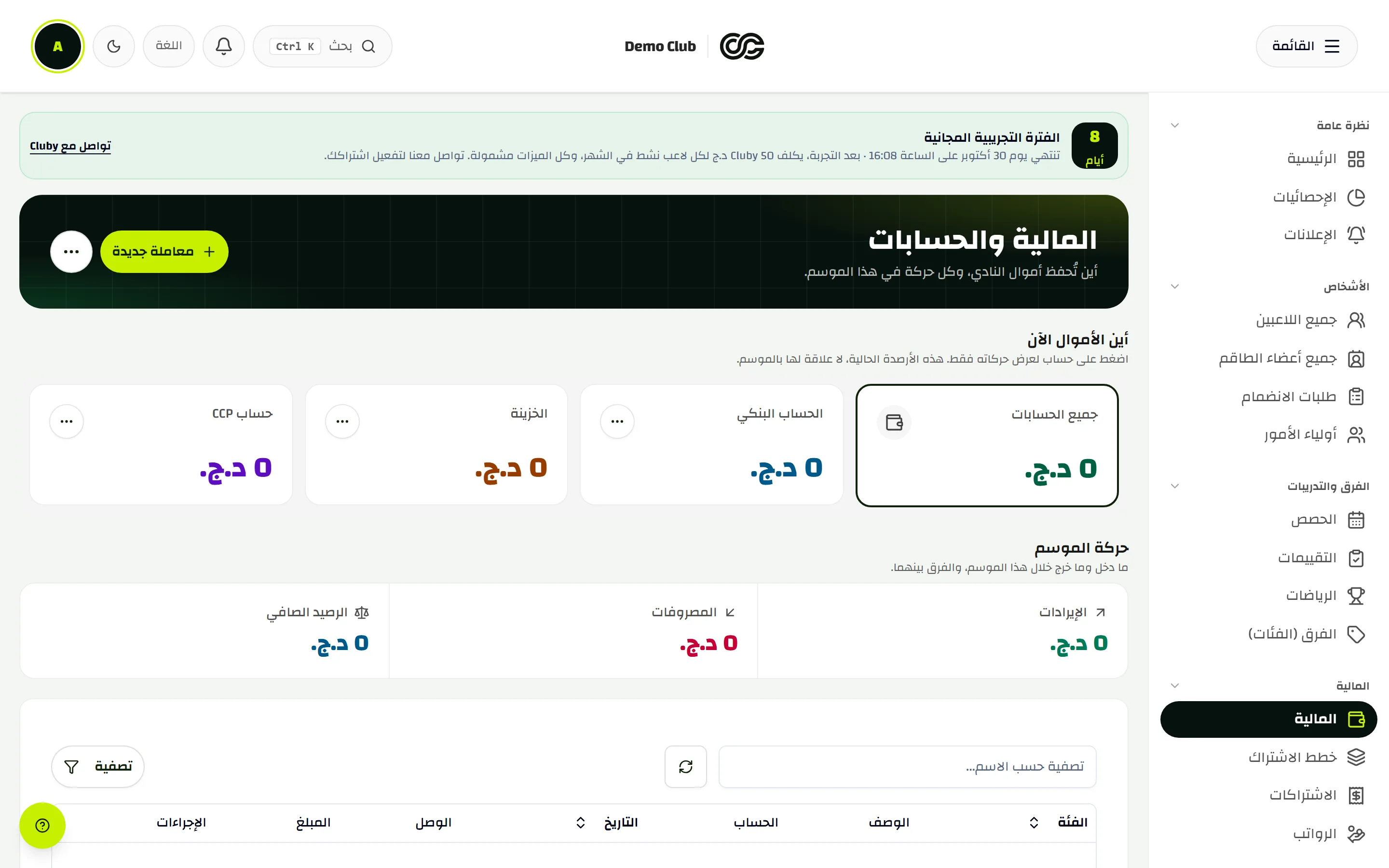
Fee plans, exemptions, lesson packs, and the club cashbook. Receipts print or go out as a link.
Start from the player
Each pack shows on the file: the plan, lessons used, and what is left.
Full or partial exemption
A discount on a pack shows on subscriptions, receipts and the family portal.
The cashbook in place
Bank, cash and CCP. A treasurer scoped to a sport sees that sport’s money only.
club.cluby.net
Shots from the real app. Sample data is for the walkthrough.
Family portal
They know without asking
Schedule, attendance, payments and notices in the family app. A read-only snapshot stays on the phone if the signal drops.
The next session first
When, where, and whether the time moved.
Bills and receipts
What is due, what was paid, and any exemption.
An absence notice
A parent tells the club from the portal before the session.
Family portal
آدم بن صالح
U13 · The next session first
The next session first
U13 · 17:30
6 / 9
92%
U13
Shots from the real app. Sample data is for the walkthrough.
More than one sport
A multi-sport club stays readable
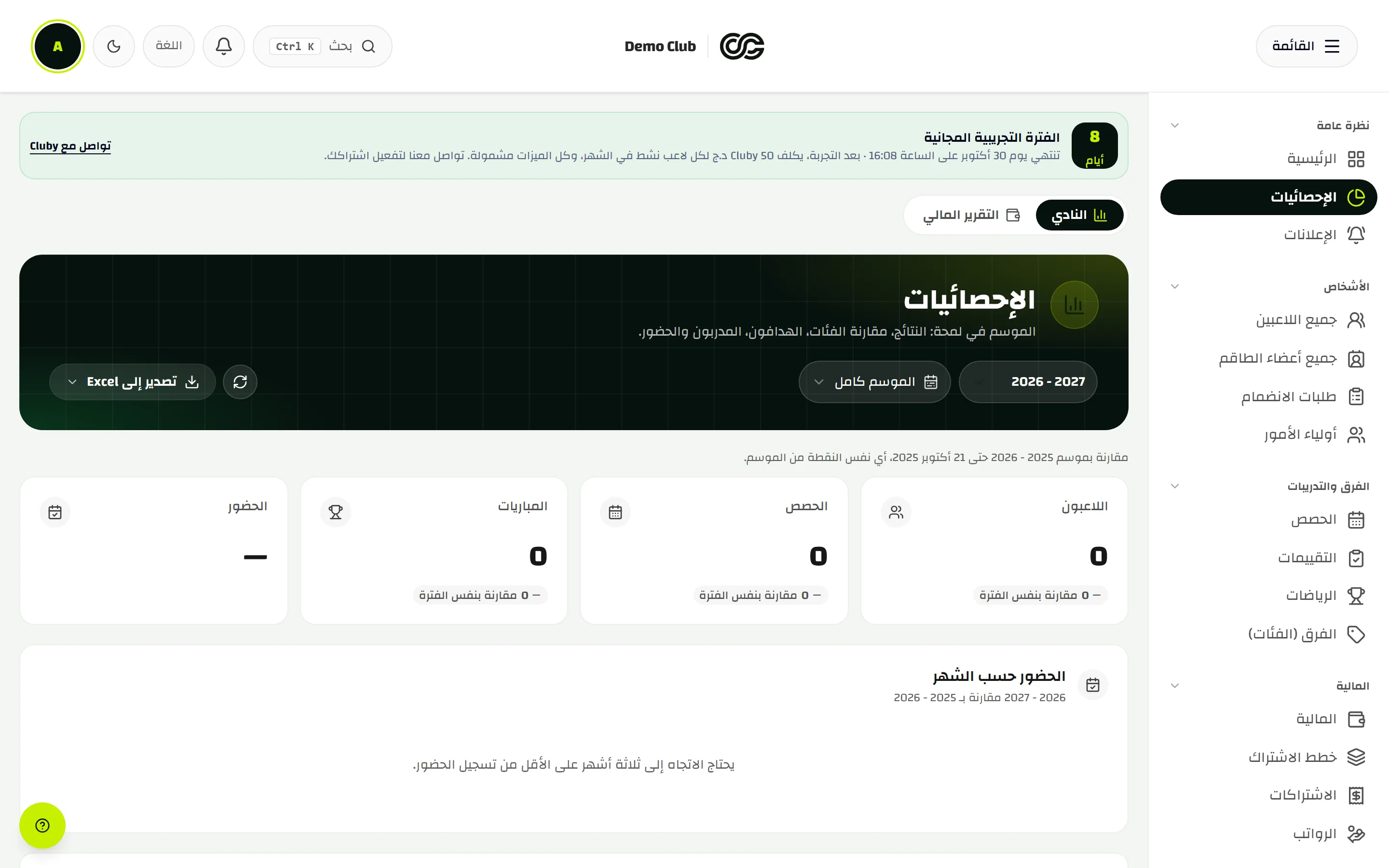
Each section has its categories. Statistics filter by sport. Belts show for judo and jiu-jitsu where they belong.
Stats per sport
Attendance, sessions and money, one section at a time.
A player’s progress
Evaluations, belts, and a print-ready player card.
Horses for riding clubs
Equestrian clubs keep the horses in the academy.
club.cluby.net
Shots from the real app. Sample data is for the walkthrough.
End of season
The season closes with a decision, not scattered sheets
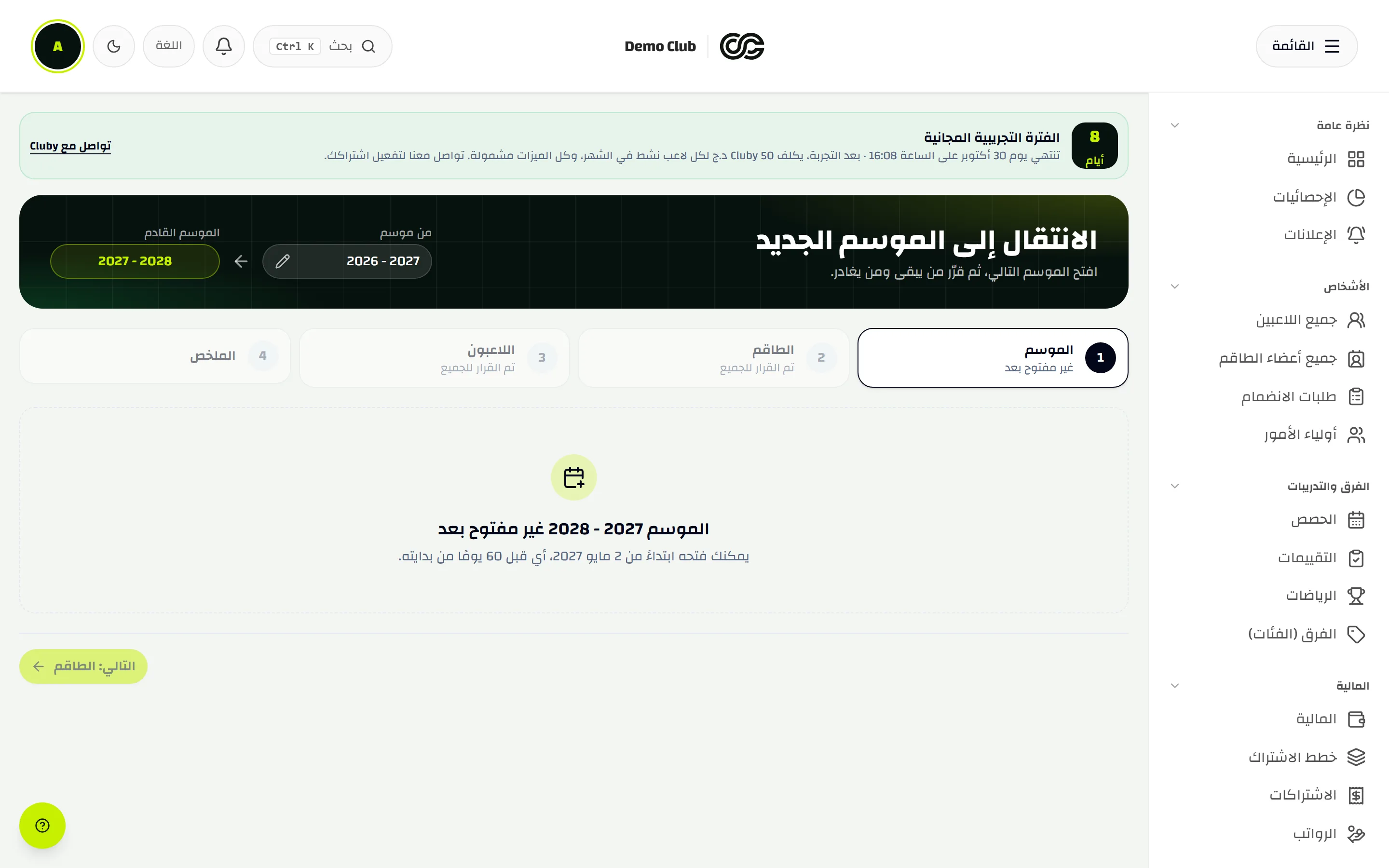
The rollover wizard opens next season, renews players and staff, and lets leavers go. The general assembly report is ready to export.
Four steps
Season, staff, players, then the summary.
General assembly report
Season figures for the general assembly and subsidy files.
A backup
An Excel workbook of lists and reports from the owner’s settings.
club.cluby.net
Shots from the real app. Sample data is for the walkthrough.
Details you find the day you need them
What the product does today.
Join requests
A public link, a poster, and approval from the club board.
Player cards
Print-ready, with a rank strip where the sport uses belts.
Optional push
After the device agrees, session and bill reminders follow the fee-plan settings.
Offline snapshot
Families can reread a saved view with no signal. They cannot edit while offline.
How the club is paid
Families pay by BaridiMob or CCP, if the club turns them on.
Three languages
Arabic, French and English. The interface follows the device.
Try it on one category
Create your club, add a coach and a group, and take your first roll call today.